

- Joined
- 11 Oct 2012
- Local time
- 6:15 PM
- Messages
- 21,949
- Location
- SE Australia
- Website
- www.satnavsaysstraighton.com
These things... 


They all have shortcut codes, and if you know the code, you don't have to search high and low to find the one you want. This page has a list of the common ones Smilies.

If you know the code, you can type it in,
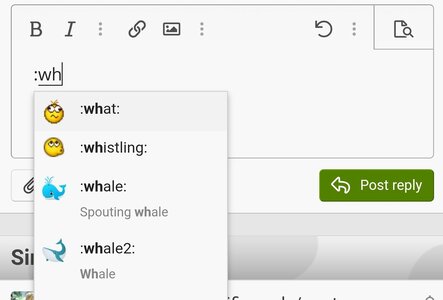
The system works as a seach, so you can typing ":wh" and you will see a list of options. Click or type to choose.
They all have shortcut codes, and if you know the code, you don't have to search high and low to find the one you want. This page has a list of the common ones Smilies.
If you know the code, you can type it in,
:whistling: and the system will convert it to an emicon. The system works as a seach, so you can typing ":wh" and you will see a list of options. Click or type to choose.
Last edited:

